
- 35mm Slide Digitization · Mendham, New Jersey
Bring every slide back into view.
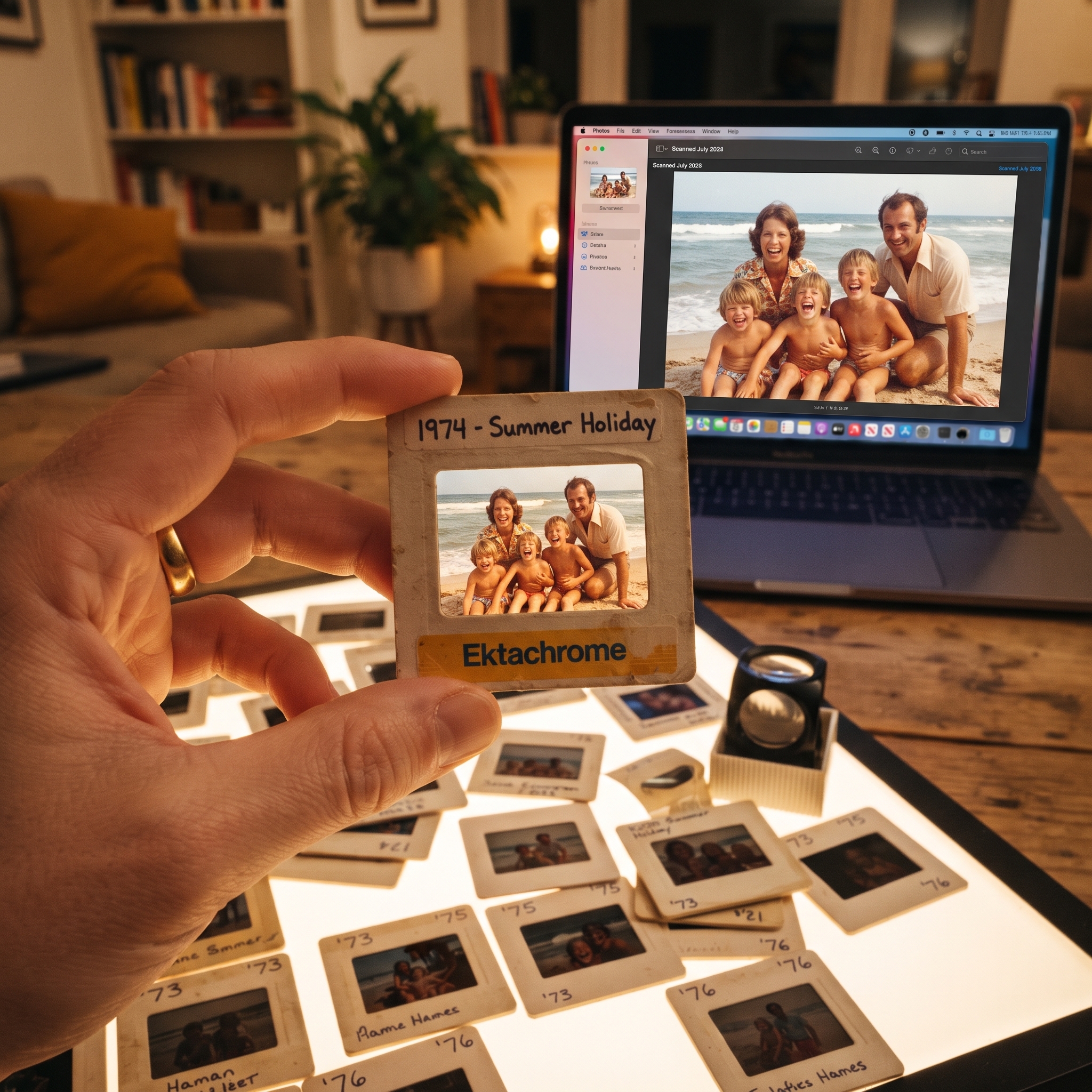
There are decades of birthdays, vacations, milestones and family history sitting in those little cardboard mounts — and no easy way to look at any of it. PowerPro Computers turns compatible mounted 35mm slides into high-resolution digital files you can actually watch, organize, back up and share.
- Local shop on East Main Street
- 2000 – 5000 DPI
- JPEG or 48-bit TIFF
- Family-owned since 1995

- Why it matters now
Time is the only thing working on your slides today.
Slide film was never designed to last forever. Every year in a closet, an attic or a basement takes a little more off the original — and a scan can only capture what is still there. The sooner a collection is digitized, the more of it survives.
01
Dyes shift and fade
Color layers weaken at different rates, so images drift warm, dark or flat over time.
02
Dust and scratches build
Every handling, projection and re-boxing adds surface marks to the emulsion.
03
Mounts get brittle
Cardboard warps and plastic cracks, which makes the film harder to handle safely.
04
Nobody can see them
Projectors and viewers are longgone, so the collection effectively stops existing.
- Choose your scan level
Three quality levels.
One honest conversation.
You should not pay for resolution you do not need — or settle for less than an heirloom deserves. Tell us how you plan to use the images and we will point you to the right level.
Good
2000
DPI · Basic Scan
Everyday viewing & sharing
A good-quality scan for enjoying the collection on a computer, TV, phone or tablet and passing copies around the family.
- Output
- Approx. file size
- Color depth
- JPEG
- ~16 MB
- 24-bit
Better · Most chosen
4000
DPI · High-Quality Scan
Important collections
A detailed scan with room to crop, enlarge and print. The practical choice when the slides matter and you want flexibility later.
- Output
- Approx. file size
- Best for
- JPEG
- ~32 MB
- Large displays
Archival
5000
DPI · Archival / Pro Scan
Heirlooms & professional work
A full 48-bit TIFF archival master built to outlive the original film — for serious editing, restoration work and permanent preservation.
- Output
- Approx. file size
- Color depth
- 48-bit TIFF
- ~200 MB
- Full 48-bit
Not sure which level fits? That is exactly what a phone call is for. Give us a rough slide count and tell us what you want to do with the images — we will recommend a level and a delivery option, no obligation.
- Output options
Share with JPEG.
Preserve with TIFF.
.jpg · The sharing copy
JPEG
Compressed and limited to 24-bit color, which keeps files small enough to email, text, upload and load instantly on any device.
Right for the majority of family collections, slideshows and everyday viewing.
.tif · The archival master
TIFF
Uncompressed and capable of full 48-bit color, holding the widest range of tone and color information the scan can capture.
Right for heirlooms, professional photography, editing and long-term archives.
Our recommended workflow for irreplaceable collections: keep a 48-bit TIFF archival master and request JPEG viewing copies for convenient sharing. File sizes are approximate and vary with image content, cropping, compression settings and selected color depth.
- Purpose-built capture
Technology designed to pull detail out of film.
A phone photo of a projected slide is not the same thing as a dedicated film scan. A purpose-built scanner controls illumination, focus, color capture and surface-defect detection — and repeats it identically across the whole collection.
5000 × 5000 DPI
High optical resolution for detailed archival capture.
48-bit color
Broad color information for archival TIFF masters and editing headroom.
CCD imaging sensor
Light-sensitive capture designed for sharp, faithful film reproduction.
Dmax 3.8
Useful detail retained across both highlight and shadow areas.
Infrared correction
Maps many dust and scratch defects so their appearance can be reduced without blurring the image.
White + infrared LEDs
Consistent illumination for color capture and surface-defect detection.
- Optional enhancements
A little help for slides that have had a hard life.
These are add-ons, not assumptions. We will tell you honestly whether your slides are likely to benefit before anything is added to the job.
Infrared dust & scratch removal
Infrared correction maps many surface defects on compatible film so their appearance can be reduced. It will not guarantee removal of every flaw — results depend on the film, emulsion and physical condition.
Color & exposure correction
Adjustment for faded, dark or unevenly exposed images. Some slides improve substantially. No process can recreate detail the original film no longer contains, and we will say so up front.
USB drive or cloud delivery
Take the collection home on a USB drive sized to the job, or ask about arranged cloud delivery for easier downloading and sharing with family.
TIFF masters plus JPEG copies
The belt-and-braces option for heirloom collections: keep the archival TIFF safe and hand out lightweight JPEG copies for everyday viewing.
- A straightforward process
From a box in the closet to a collection you can watch.
01
Call us
Tell us roughly how many slides you have and how you want to use the images. We will talk through the options in a few minutes.
02
Bring them in
Drop off a box, a carousel or a small sample batch at our Mendham shop, grouped in the order you want preserved.
03
We digitize
We scan the compatible mounted slides at your chosen level, apply any options you selected, and prepare the files.
04
You collect
Pick up the finished collection on a USB drive, or arrange cloud delivery — along with your original slides.
- Why PowerPro
A neighborhood shop, not a mail-away warehouse.
Your slides do not get boxed up and shipped across the country to a facility you will never see. They stay in Mendham, with the same people who have been looking after this community’s technology for three decades.
1995
Serving Morris County since
In house
Your slides never leave Mendham
Local
Drop off on East Main Street
“They repaired my laptop screen and recovered all my photos. Incredible service!”
Danielle S. · Randolph, NJ
“Rapid service! Diagnosed problem, presented a solution and transferred data ahead of schedule.”
Jan B. · PowerPro customer
“The only tech support company I trust. They fixed issues that other shops couldn’t. Great people, great service.”
Mark R. · Chester, NJ
- Frequently asked questions
Plan the right project.
What slide formats do you accept?
This service is designed for standard 50 × 50 mm mounted 35mm slides, with a maximum scanning area of approximately 37 × 37 mm. If you have unusual mounts, damaged slides or a different film format, call us first so we can review them before quoting.
Should I choose JPEG or TIFF?
JPEG files are smaller and convenient for viewing and sharing. TIFF files are uncompressed, can retain full 48-bit color, and are the better choice for archival masters and serious editing. For heirloom collections we suggest keeping the TIFF master and making JPEG copies for everyday use.
How large are the finished files?
A typical 2000-DPI JPEG may be around 16 MB, a 4000-DPI JPEG around 32 MB, and a 5000-DPI 48-bit TIFF around 200 MB. Actual sizes vary with image content, cropping, compression settings and selected color depth.
How much storage will I need?
Multiply the approximate per-file size by your slide count. For example, 100 archival TIFF scans may require roughly 20 GB before you add any JPEG copies or backups. We will help you pick a practical delivery drive when we know the numbers.
Can you remove all the dust and scratches?
Infrared correction can reduce many surface defects on compatible film, but it cannot guarantee removal of every flaw. Results depend on the film, the emulsion and the physical condition of each slide.
Can faded or dark slides be improved?
Optional color and exposure correction can improve some images noticeably. It is important to be realistic, though: no restoration process can recreate detail that the original film no longer contains.
How will I receive my files?
Choose a USB drive sized to your collection, or ask about arranged cloud delivery. Your original slides come back to you either way.
How much does it cost?
Slide digitization is priced per slide, and the total depends on your scan level, your slide count and any options you choose. Rather than guess, call us at 973-543-4237 with an approximate count — we will walk you through the choices and what each one means for your collection.
I have hundreds of slides. Where do I even start?
Start small. Bring in a sample batch, let us scan it, and look at the results before committing to the whole collection. It is the easiest way to see the difference between scan levels with your own images.
- Start with a box, a carousel or a sample batch
Give old images
a new life.
One short phone call is all it takes to find out what your collection needs. Tell us roughly how many slides you have and what you would like to do with them — we will handle the rest.
- Call to book or ask a question
Speak with a technician about your slides — no appointment needed to ask.
PowerPro Computers
4 East Main Street, Unit 1
Mendham, NJ 07945